App onboarding walkthrough
This article takes you through the full consumer app experience. As our app is customised for each of the businesses we work, the functionality in your app might be slightly different.
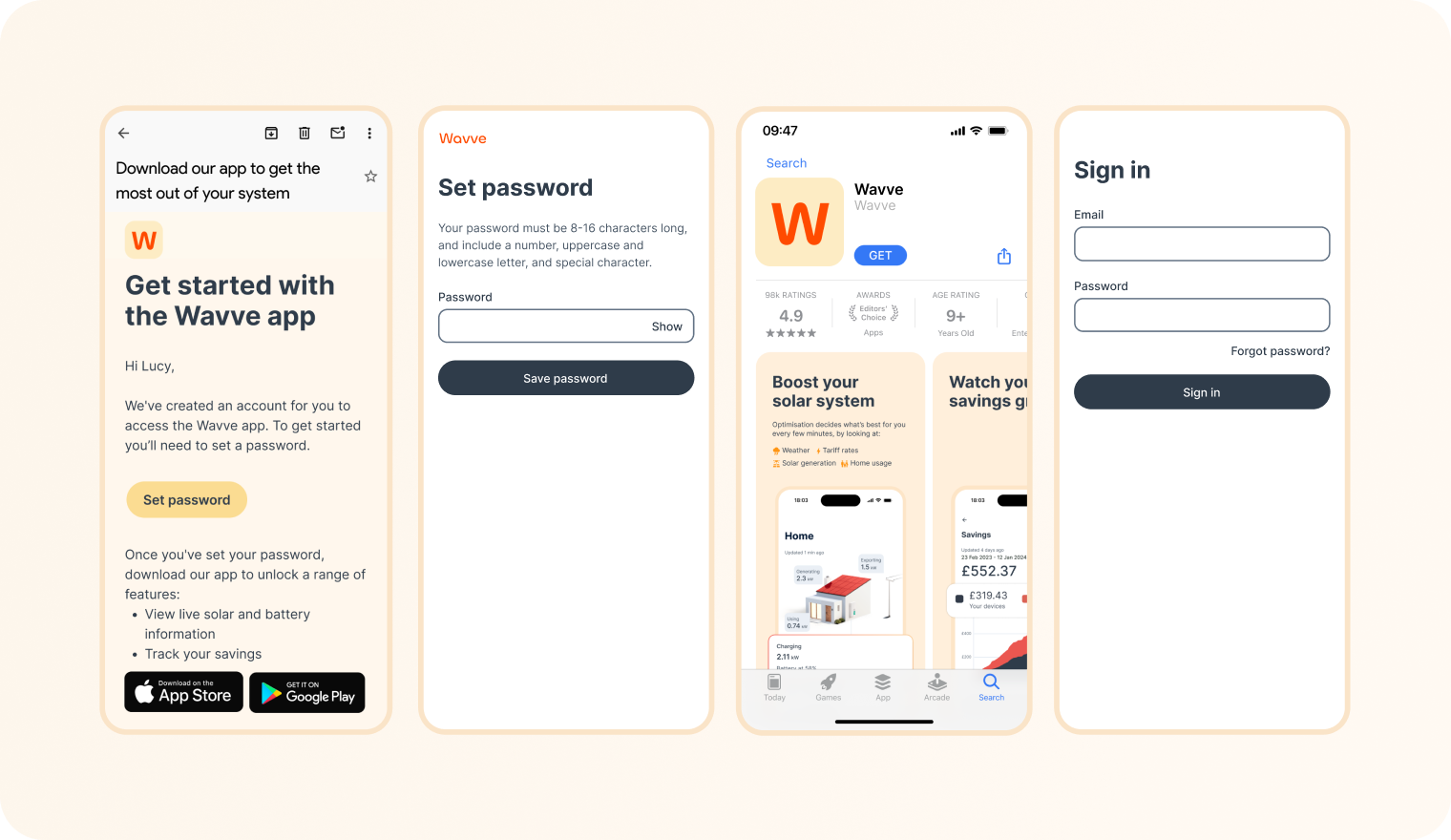
Set password and sign in
In their welcome email, consumers are prompted to set a password. They can then download the app and sign in.
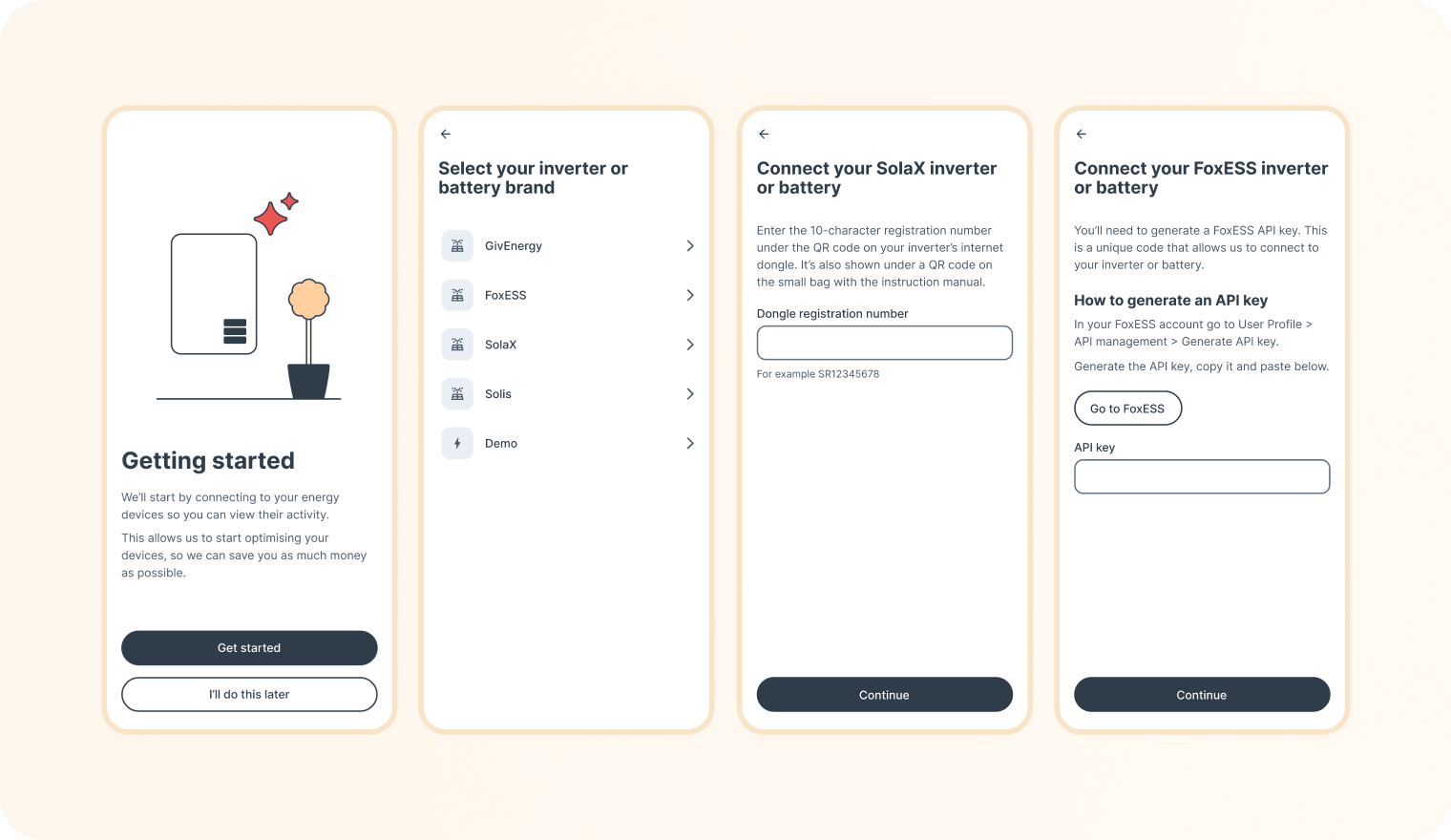
Link a solar inverter or battery
Once they've signed in, the consumer will go through the onboarding process. The first step is to link their solar inverter or battery. Different brands require different credentials to do this, for example a unique code on a wifi dongle, an API key or a username and password.
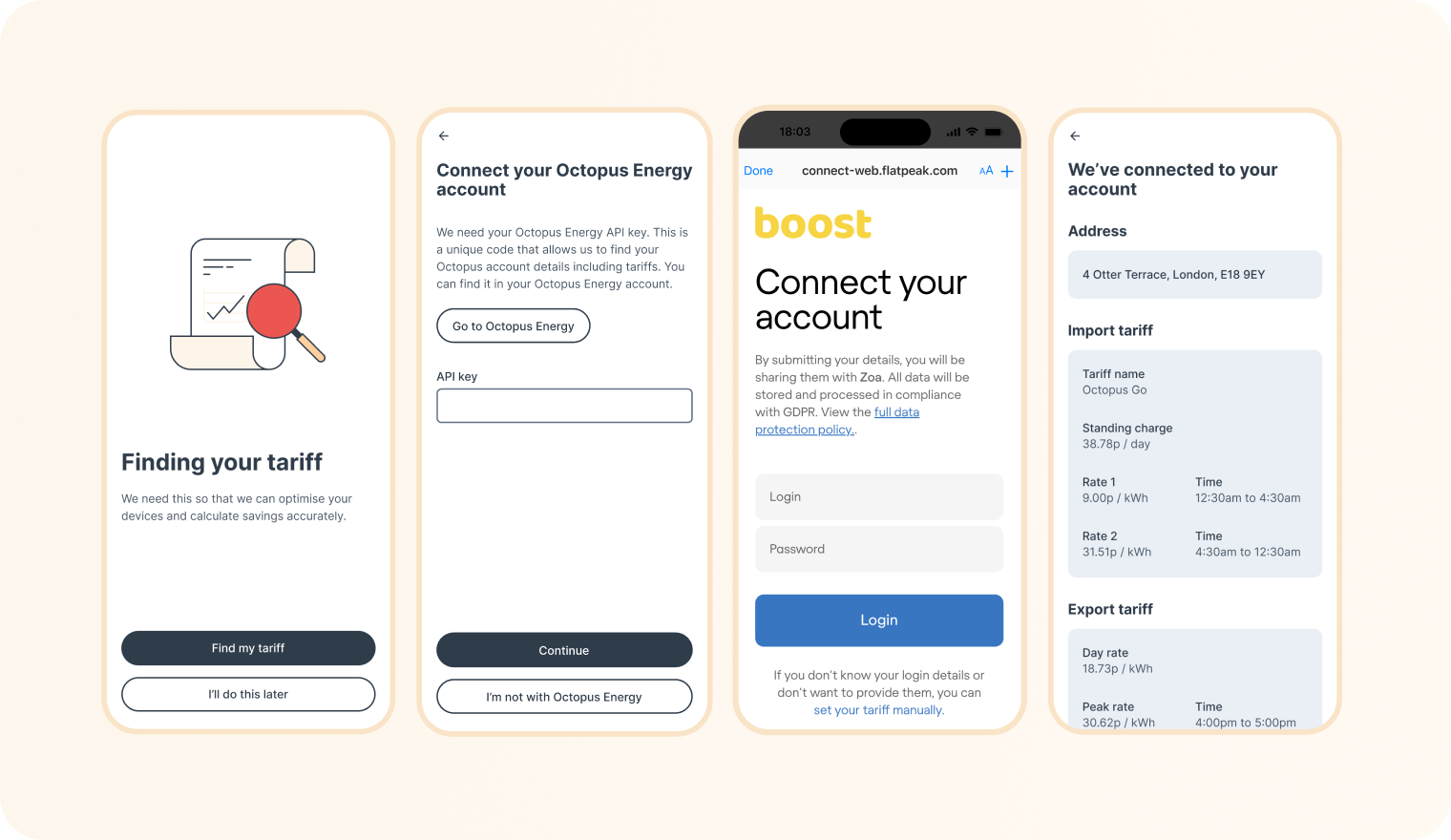
Add a tariff
Adding tariff information allows consumers to enable optimisation, see costs for energy imported, earnings from export and savings from their system.
The way tariffs are collected depends on your implementation of the app and who the energy supplier is. For example tariff data can be automatically associated to a consumer account or the user might need to collect it themselves with an API key or username and password.