Allow Zoa to publish apps to the Google Play Store and Apple App Store
To publish the Zoa app, you'll need to set up your own App Store and Google Play Store accounts and give us permission to release the app.
Google Play Store
Sign up to the Google Play Store here. You'll need your organisation's D-U-N-S number, company name, and contact details. Grant admin access to Zoa's engineers, and Zoa's non-human service account to ensure your application is signed, certified, thoroughly tested, automatically uploaded and released.
Under ‘Users and permissions’ create a permission group called 'Zoa Admin’.
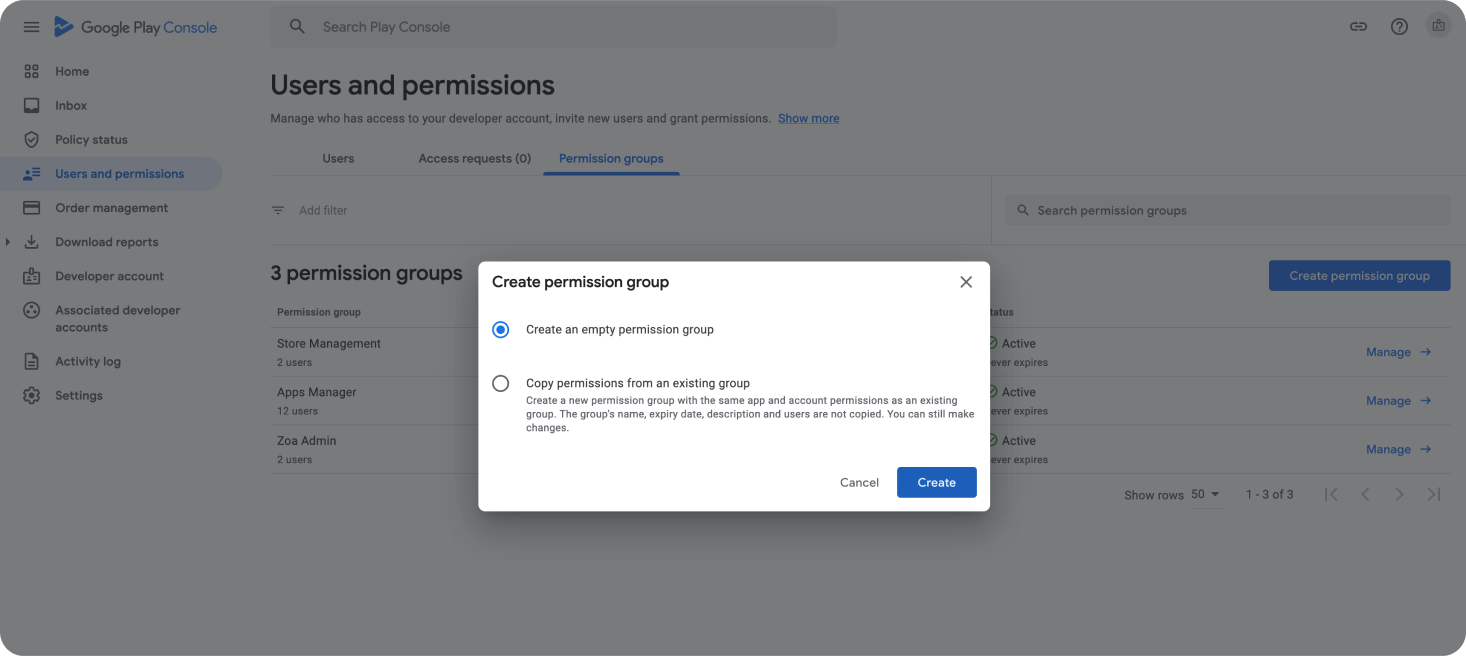
Invite these users to the Zoa Admin group:
Zoa Developers: [email protected]
Service Account: [email protected]
Apple App Store
Sign up to App Store here.
Grant admin access to Zoa engineers.
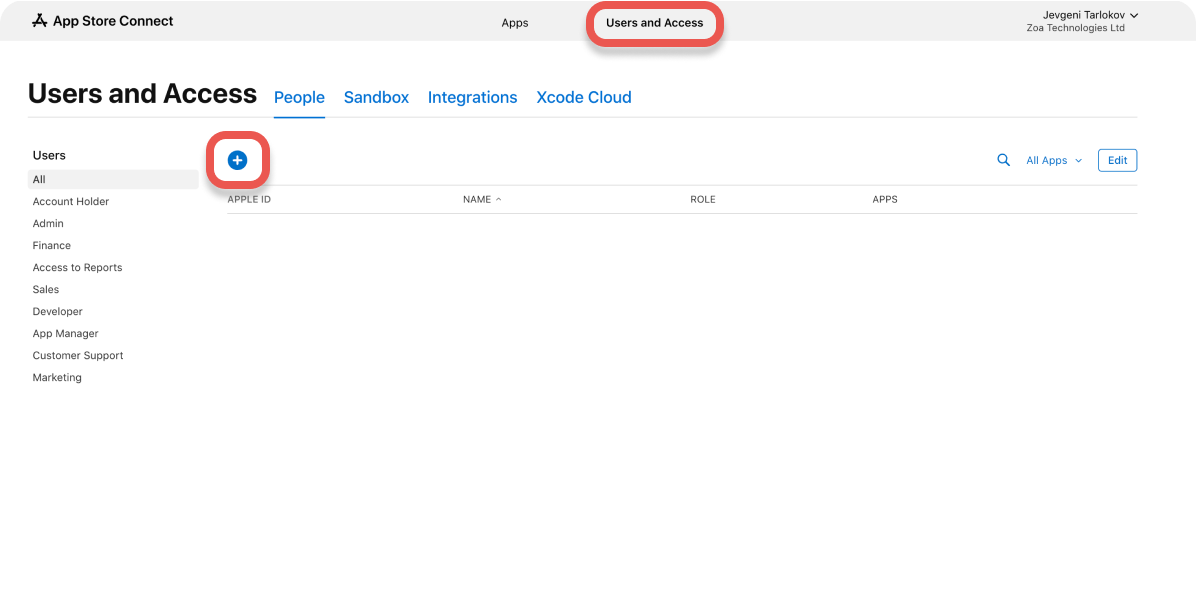
Under ‘Users and Access’, click the blue + (add) button to invite the Zoa developers responsible for setting up the app's signing credentials.
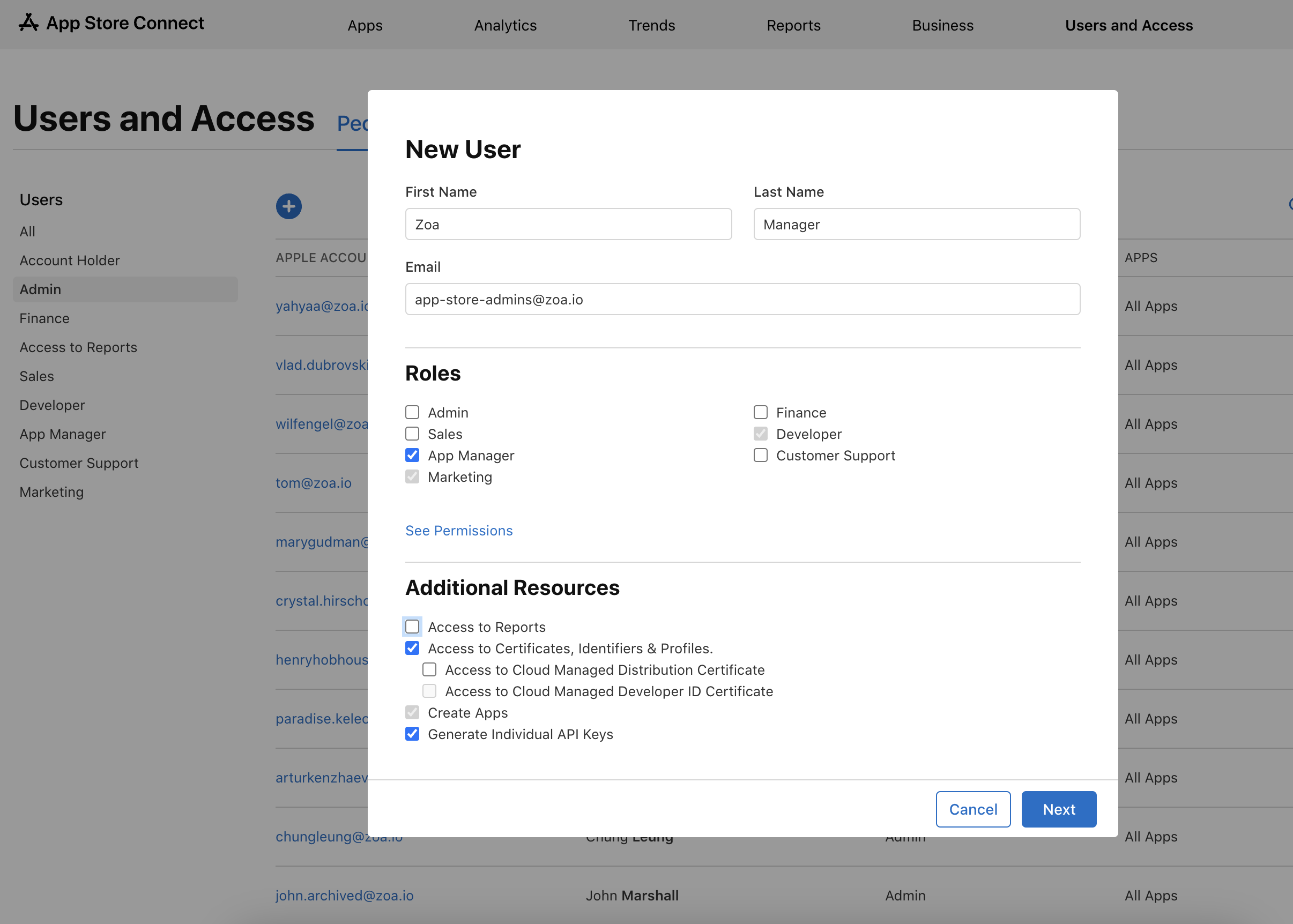
Zoa Developers: [email protected]
Make sure to tick the box for the App Manager role and grant access to Certificates, Identifiers & Profiles and Generate Individual API Keys.
If prompted, agree to the terms and conditions to allow weekly updates. This will allow Zoa developers to handle updates through a semi-automated process that won't require your teams involvement unless you choose to participate. Our goal is to release app updates frequently, making our apps more responsive to consumer needs and easier to manage.
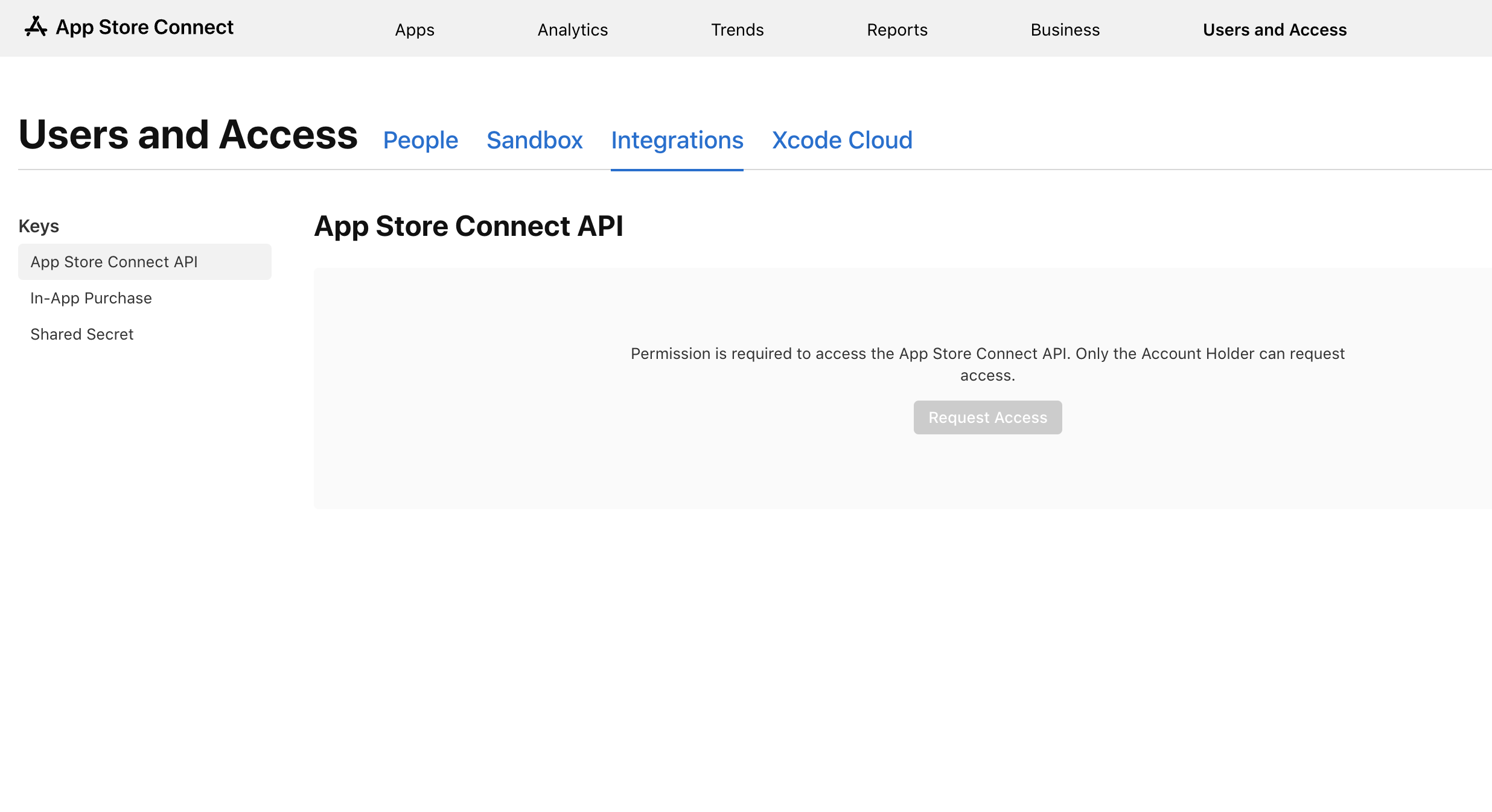
Make sure you request access to the App Store Connect API - this will allow us to streamline the app release process. Please note that only Account Owner may request access to it. To find this page please navigate to App Store Connect > Users and Access > Integrations