Linking tariffs with other suppliers
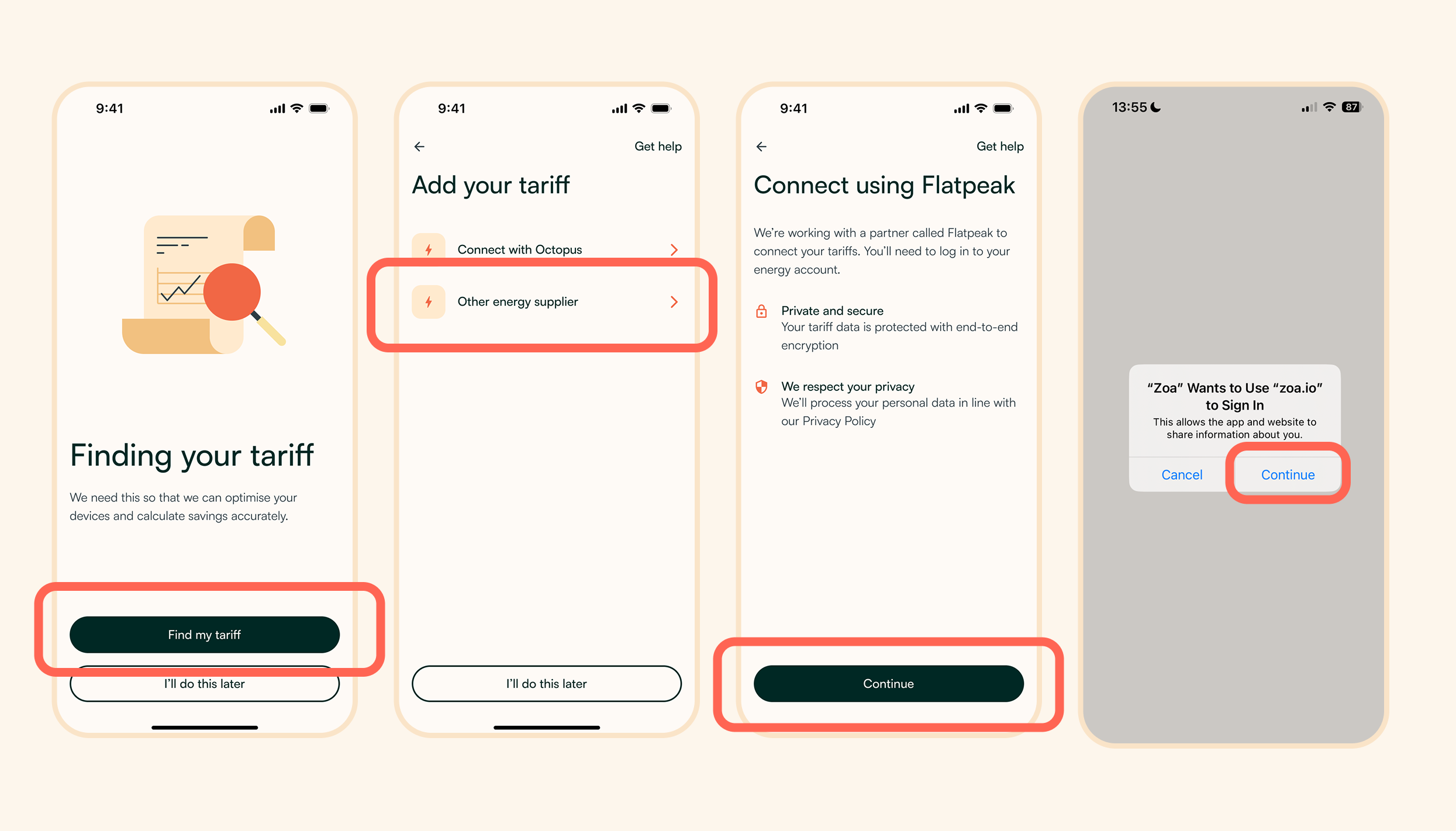
If a consumer is not an Octopus Energy customer, they can connect your tariffs in app using Flatpeak.
The consumer will be taken to a weblink in their app then they will need to:
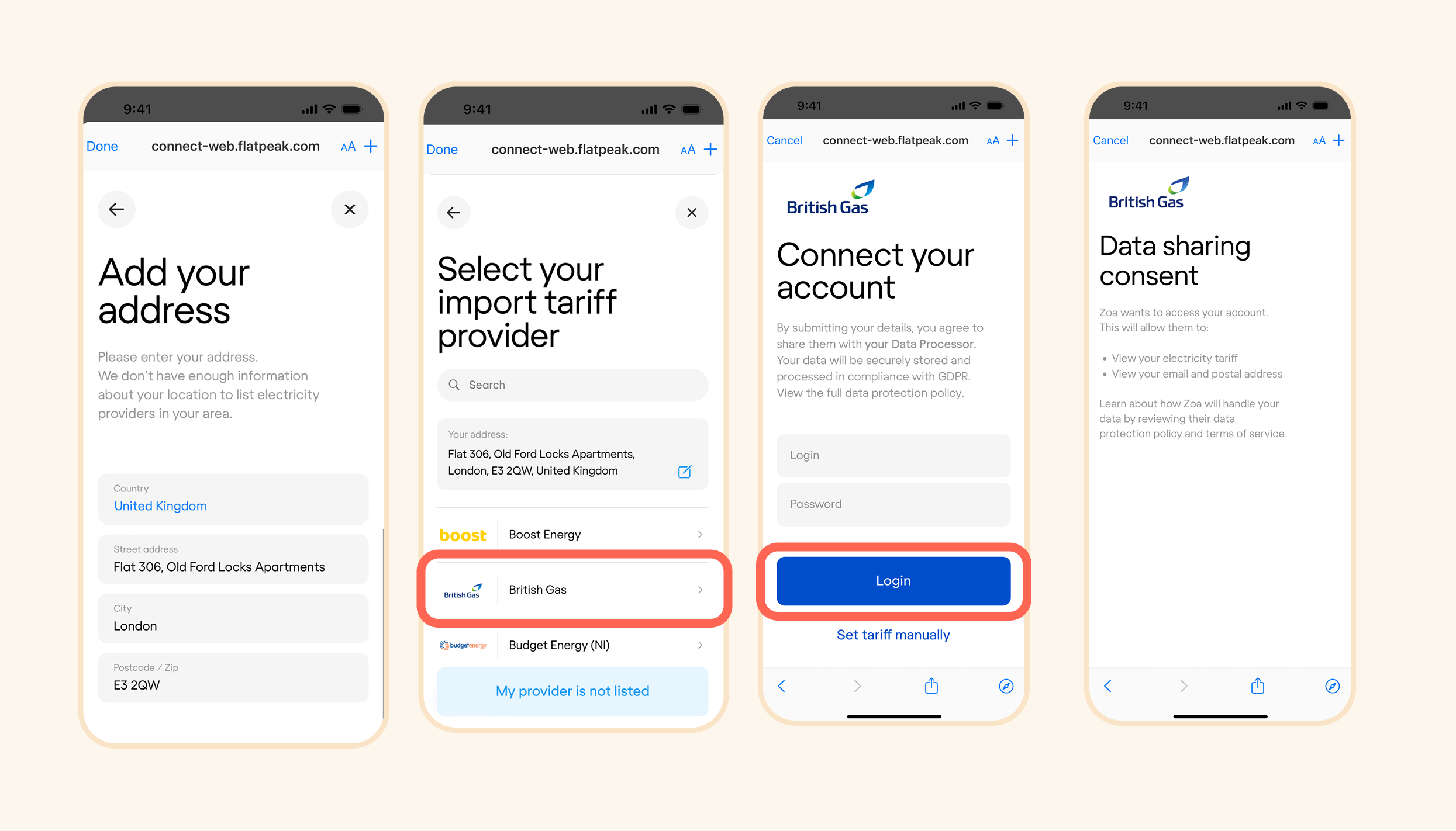
1. Enter their address
2. Select their import tariff supplier first
3. Log in to their supplier’s account using their existing username and password
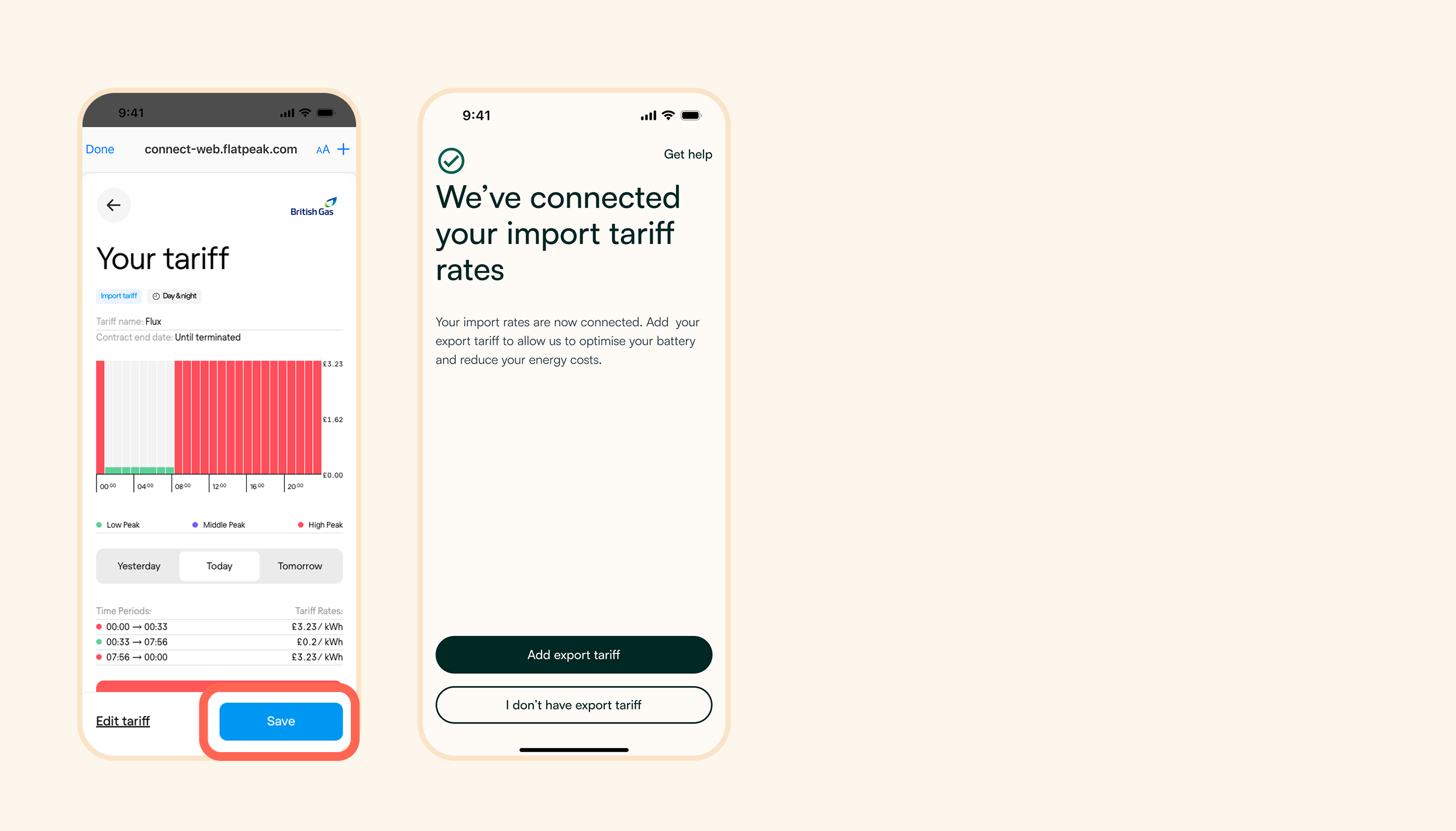
4. Review their import tariff details to ensure everything is correct
5. Repeat the same steps for their export tariff (if they have one)
Adding an import tariff
Adding an export tariff
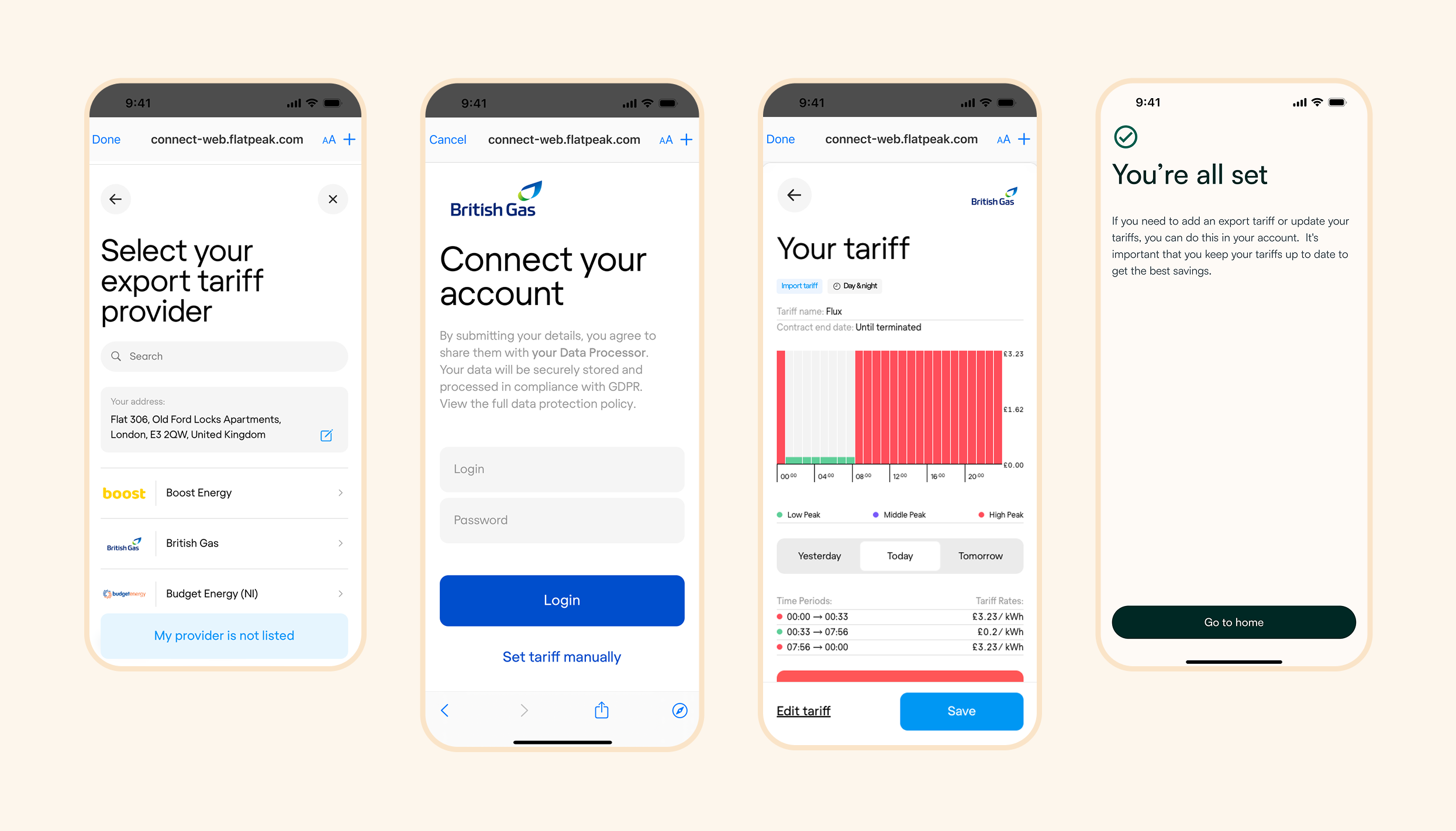
No export tariff
Not a problem, once the customer has an export tariff, they can return to the app to add it via Octopus or any other supplier.