Linking Octopus Energy tariffs
To link an Octopus Energy tariff in the app, consumers need to connect their Octopus Energy account. This is done by linking their Octopus Energy API key - a unique code that allows the app to access their account details, including tariff information.
Finding the Octopus Energy API key
Consumers can locate their API key by logging into their Octopus Energy account. There are two ways to find it:
Using the app shortcut
In the app, a direct link is provided to take users straight to their API key.
Step 1: Select Connect with Octopus
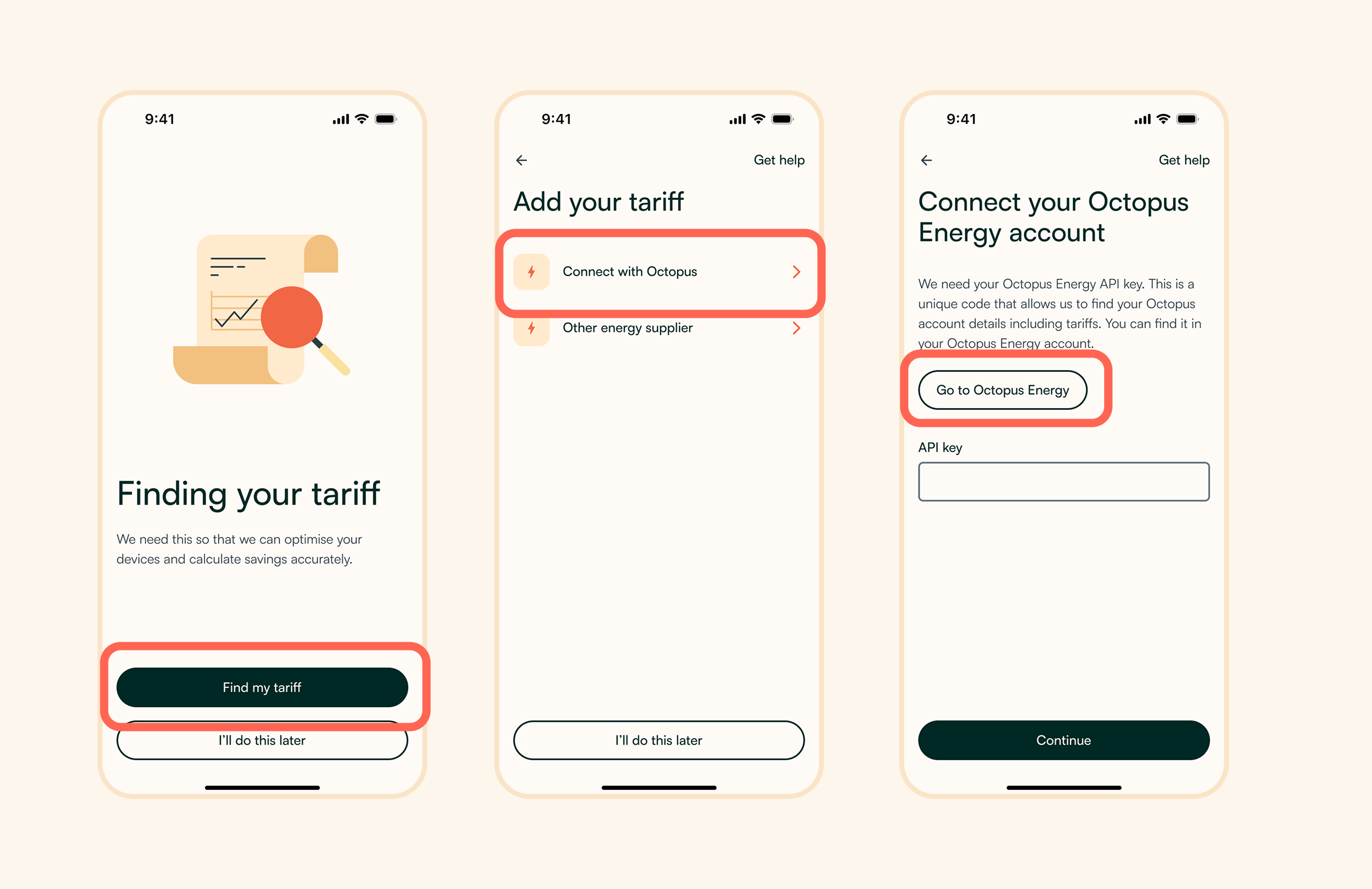
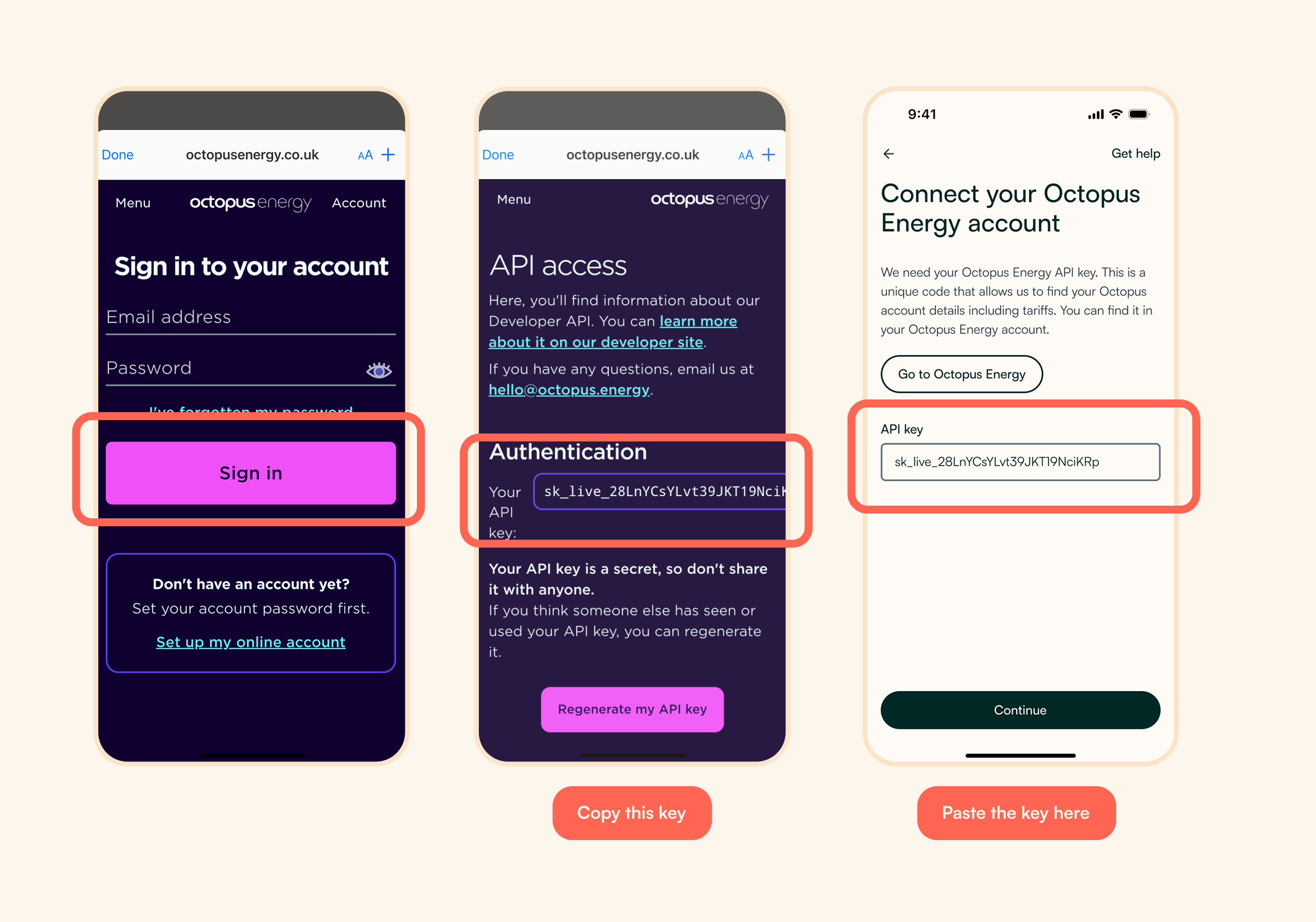
Step 2: Login to Octopus Energy, copy and paste the key
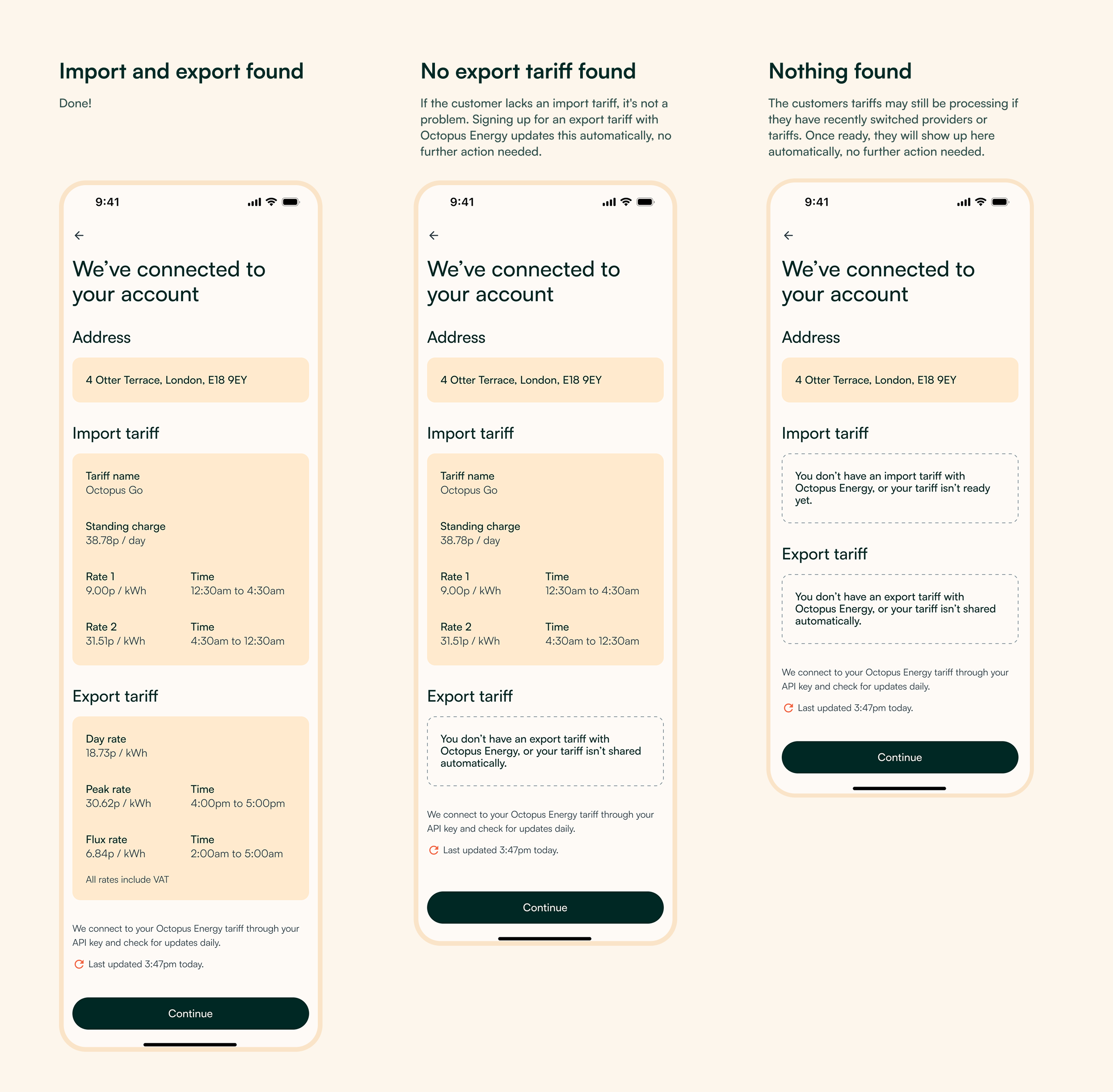
Step 3: Check and confirm tariff details
Manually navigating the Octopus Energy Account
If consumers don’t use the app’s shortcut, they can find their API key by navigating to:My Account > Personal Details > Developer Settings
Once located, customers should copy the API key and paste it into the app.
In the Zoa platform
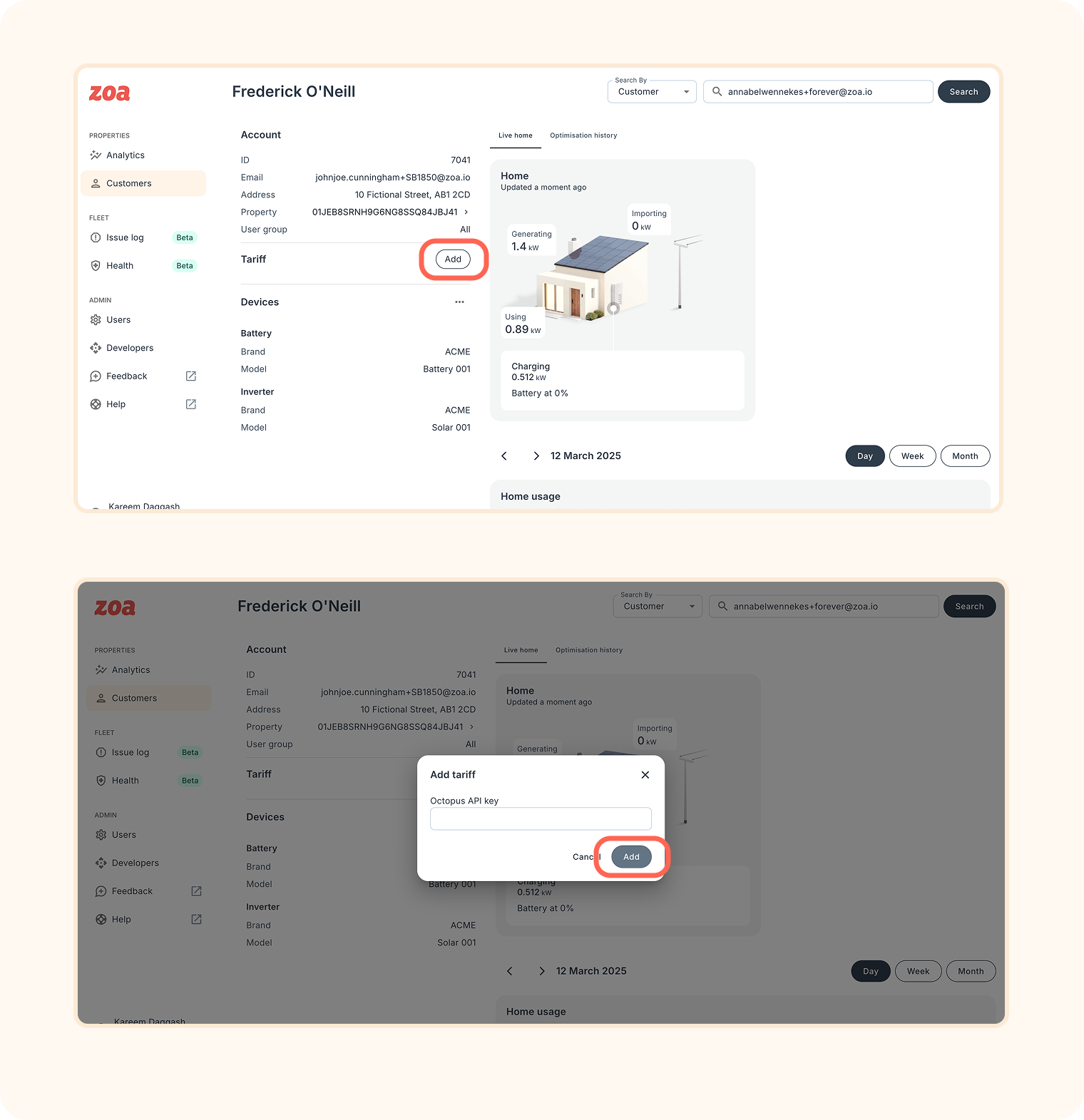
If a consumer is struggling to connect their Octopus Energy API. This can be added in the Zoa platform:
Search for the consumer in the platform
Access their profile
Click Add beside tariff
Paste their API key
Confirm the change
Keeping tariff details updated
Linking the API key ensures that live tariff details are always kept up to date within the app, giving users accurate and timely information.