Turning off optimisation
By default, consumers have access to turn optimisation on and off via the app. If you're interested in removing this functionality please contact [email protected].
In the Zoa platform
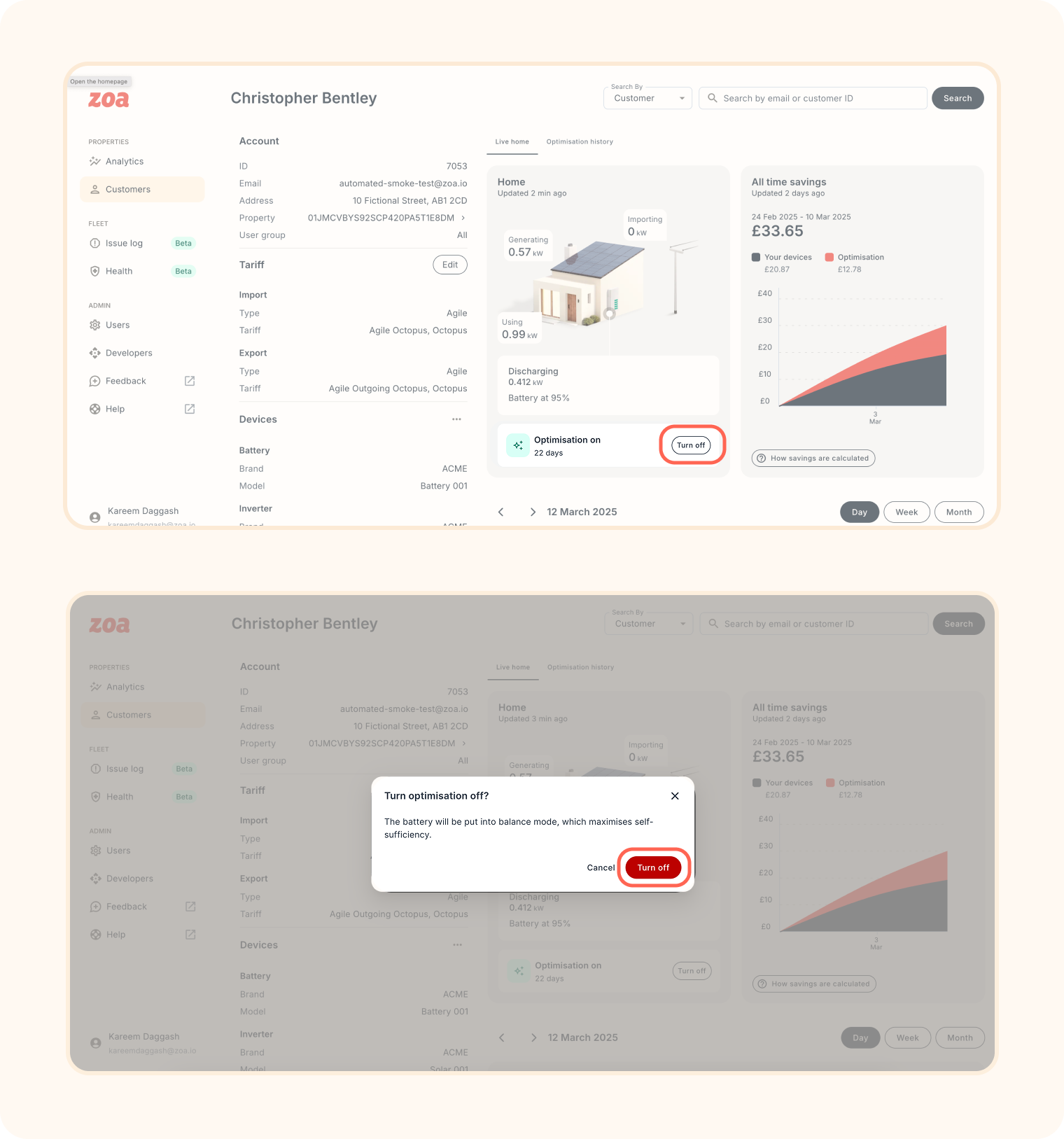
If an app consumer has permission to manage optimisation settings, any user of the Zoa platform can do the same. To turn optimisation on or off:
Search for the consumer in the platform
Access their profile
Toggle optimisation on or off
Confirm the change
In app
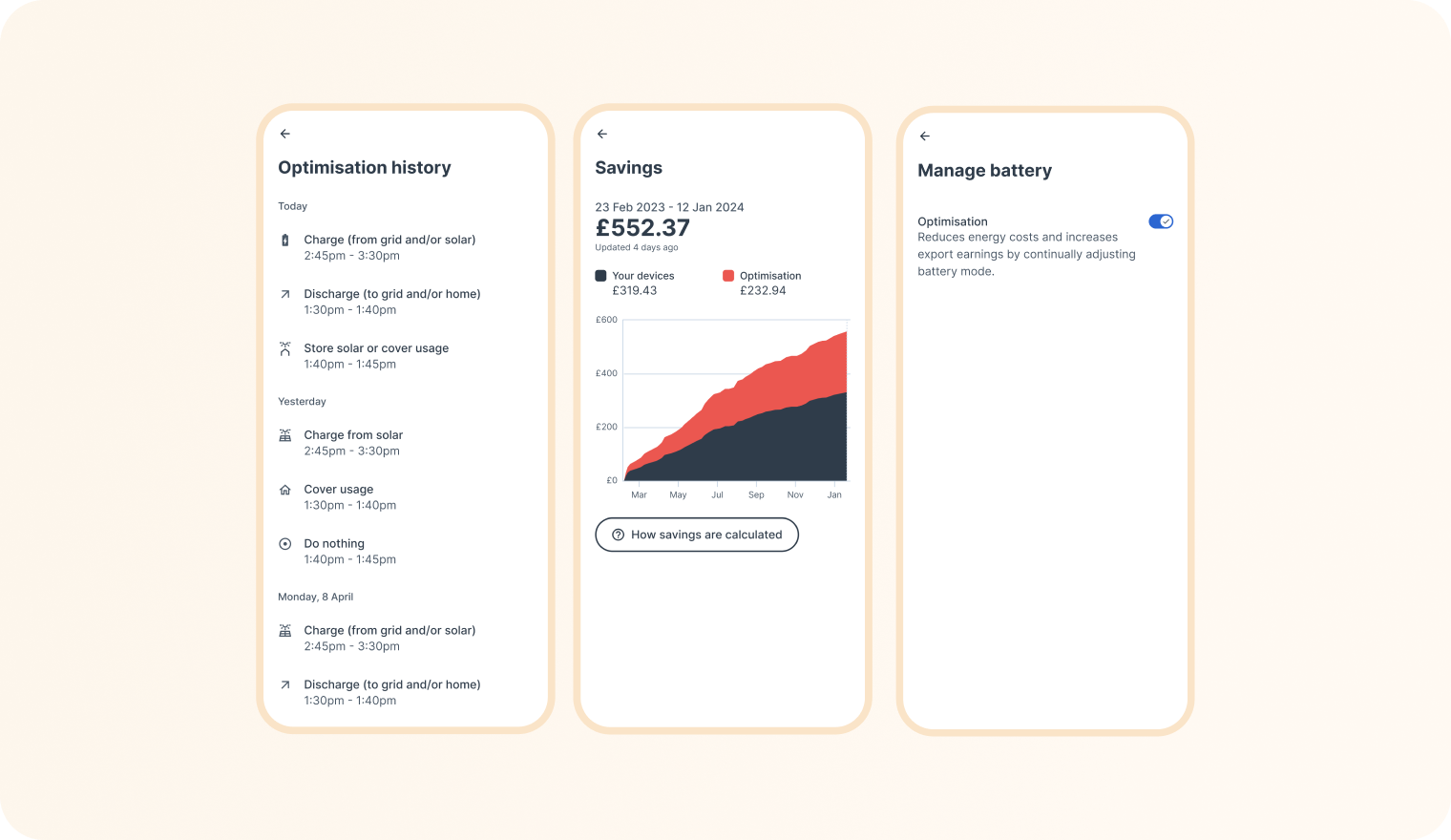
If a consumer has the necessary permissions, they can manage optimisation settings within the Manage Battery page in the app. If they do not have permissions, this option will be disabled.